You spent weeks building your salon website. Maybe you paid someone to do it, or struggled through it yourself. Launch day felt great. You shared it on Instagram, sent the link to your clients, and waited for the bookings to roll in.
Months later — nothing. The website is sitting there, looking pretty, bringing in zero new clients.
I am Nreepen KM Dony, a WordPress developer with 10+ years of experience building websites specifically for spas, salons, massage studios, and barber shops. After building and auditing 300+ spa and salon websites on Fiverr, I have seen the same mistakes come up again and again — and most of them are completely avoidable.
In this post, I am going to walk you through the most common salon website mistakes that are actively costing you bookings, explain exactly why each one hurts your business, and give you a clear fix for each one. No technical jargon. Just straight talk from someone who has seen what works and what does not.
Let’s start with the one that kills more bookings than anything else.
Disclosure: This post recommends tools and services based on personal use and experience. If I join an affiliate program for any of these in the future, I’ll clearly mark those links as affiliate links.
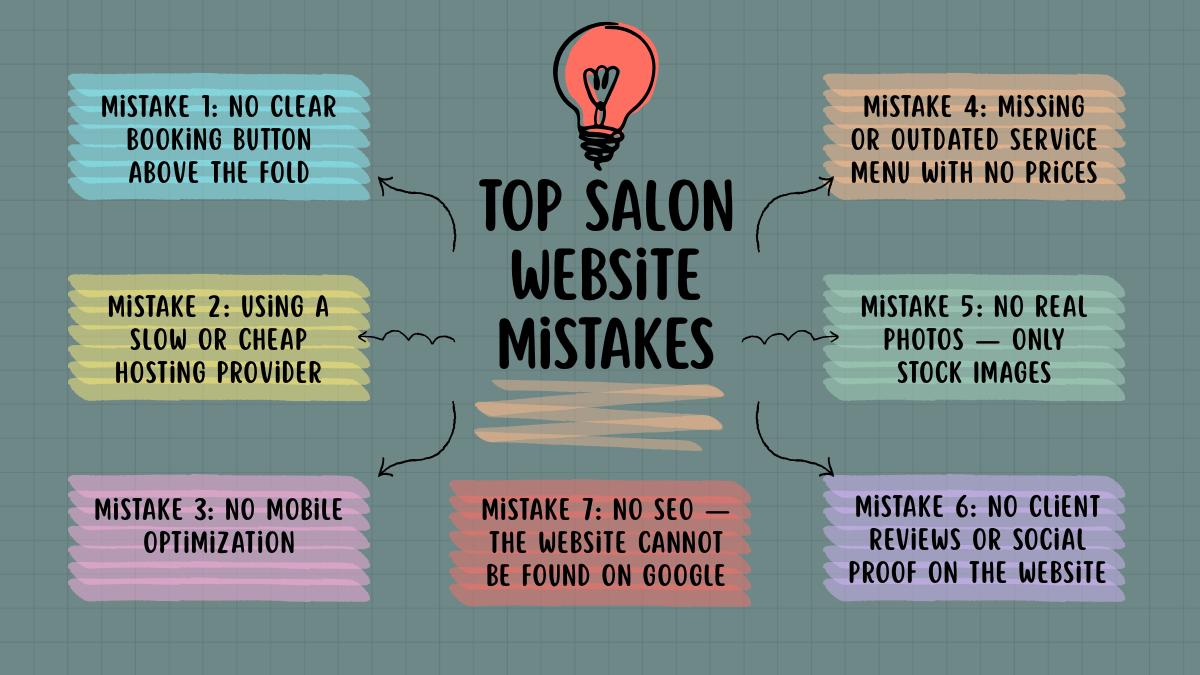
Mistake 1: No Clear Booking Button Above the Fold
“Above the fold” means what the visitor sees the moment your website loads — before they scroll down even once.
I see this on almost every salon website I audit for the first time: the booking option is buried somewhere in the navigation menu, hidden in a sidebar, or placed at the very bottom of the page after a wall of text. The visitor lands on the homepage, looks around for two or three seconds, does not immediately see how to book, and leaves.
Most website visitors make a decision about your business within five seconds of landing. If they cannot see a clear path to booking in those five seconds, you have already lost them.
The Fix: Place a bold, high-contrast “Book Now” button directly in the hero section of your homepage — the very first thing someone sees when the page loads. It should be visible without scrolling on both desktop and mobile. Use a color that stands out from the rest of the page. This one change alone can dramatically increase your booking rate.
Mistake 2: Using a Slow or Cheap Hosting Provider
This is the mistake salon owners almost never connect to their booking problem. When you picked your hosting, you probably chose based on price — the cheapest plan available. Totally understandable. But that decision is silently costing you clients every single day.
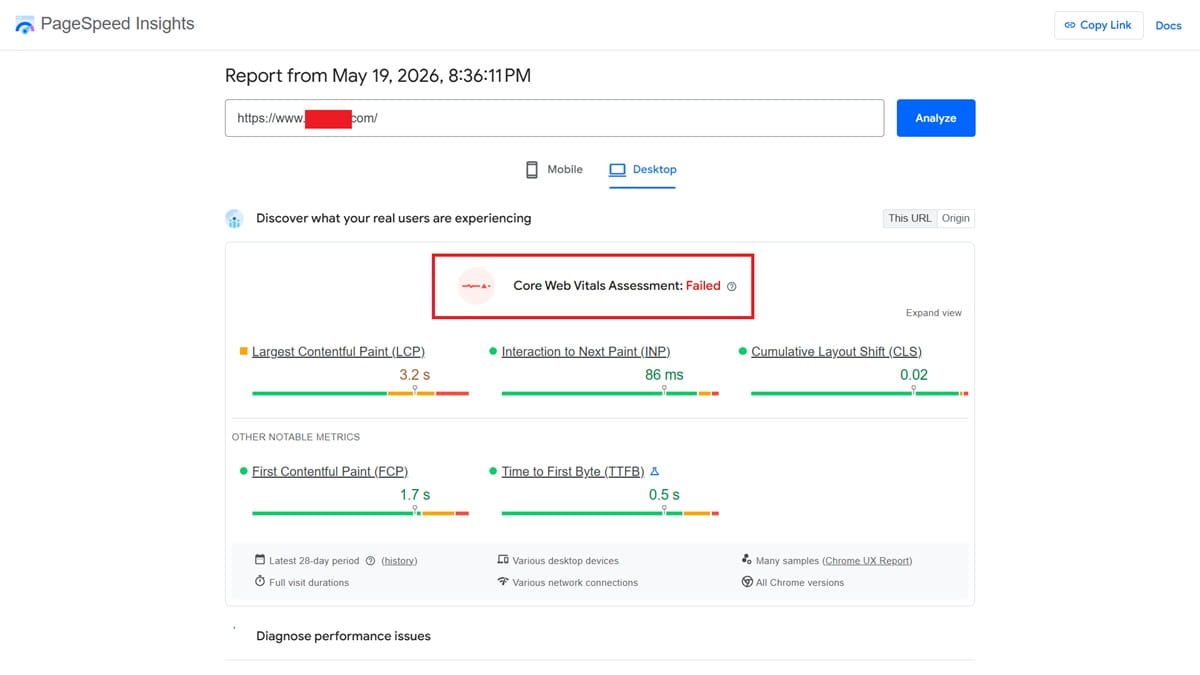
Slow hosting means a slow website. And a slow website means visitors leave before the page even finishes loading — especially on mobile, where patience is almost zero.
I see this on almost every salon website I audit for the first time: Google PageSpeed scores in the 20s and 30s, pages taking 6–8 seconds to load, and the salon owner has no idea this is even happening.
Google research shows that 53% of mobile users abandon a site that takes more than 3 seconds to load. That is more than half your potential clients gone before they see a single thing about your salon.
The Fix: Switch to a reliable hosting provider that uses LiteSpeed servers and has solid infrastructure. I personally use and recommend Hostinger — it is what SpaSalonWeb.com runs on, and it consistently scores 90+ on Google PageSpeed. Best Web Hosting for Salon Websites in 2026 (Honest Comparison)
Mistake 3: No Mobile Optimization
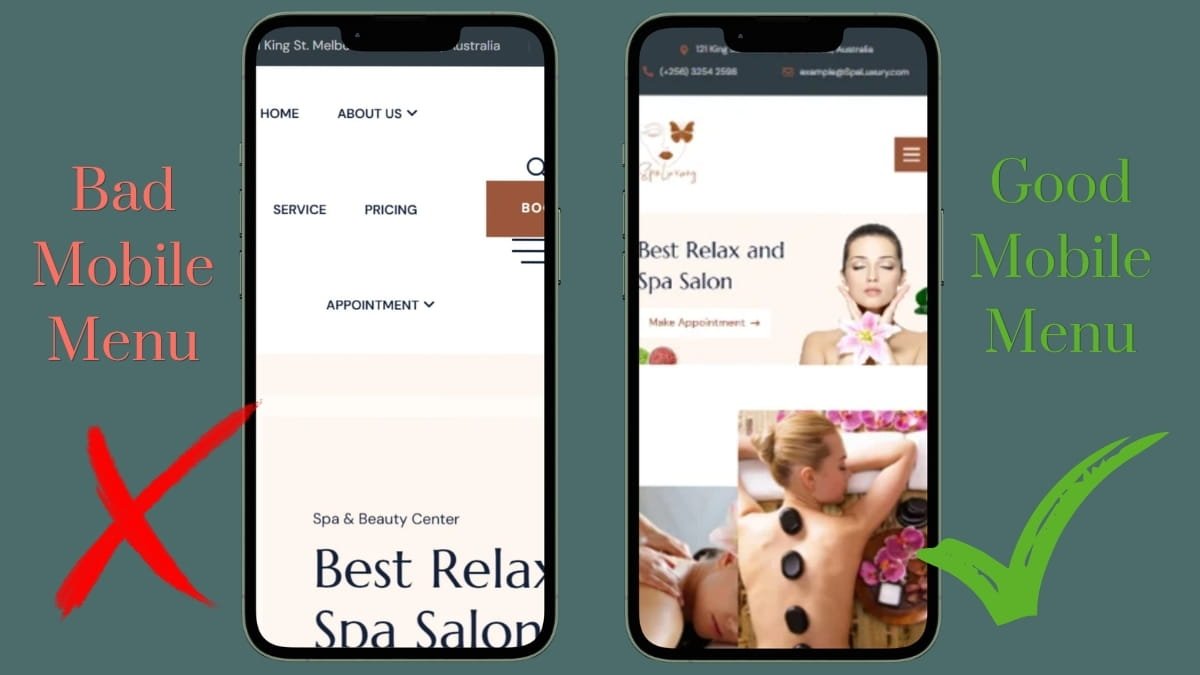
Your website looks perfect on your laptop. You tested it, your designer tested it, everyone approved it. Then a potential client opens it on their iPhone and the text is tiny, the images are cut off, and the buttons are impossible to tap.
Over 70% of local salon searches happen on a smartphone. When someone is looking for a salon near them, they are almost always on their phone. A broken or frustrating mobile experience means you are losing the majority of people who could have booked with you.
I see this on almost every salon website I audit for the first time: a desktop-first design that was never properly tested on actual mobile devices. The developer checked “responsive” off the list without really checking.
The Fix: Pull up your website right now on your own phone. Then ask a friend to open it on theirs. Check if everything loads cleanly, if buttons are easy to tap, and if text is readable without zooming. Use a responsive WordPress theme built specifically for service businesses, and run your site through Google PageSpeed Insights to get a mobile score. Anything below 70 needs attention.
Mistake 4: Missing or Outdated Service Menu With No Prices
Your services page lists “Facial Treatment,” “Swedish Massage,” and “Haircut and Blow Dry” — and nothing else. No prices. No descriptions. No details.
Here is the reality: most people will not call to ask for prices. They will simply move on to a competitor whose website tells them exactly what they are paying before they commit. A missing price list is one of the fastest ways to lose a potential client who was already interested.
I see this on almost every salon website I audit for the first time: either no prices at all, or a services page that was last updated two years ago with prices that no longer reflect what the salon actually charges.
The Fix: Create a clean, well-organized services page with a clear price listed for every single treatment. If you offer a range, show the range. If prices change seasonally, set a reminder to update the page. A client who knows exactly what to expect is far more likely to book than one who is guessing.
Mistake 5: No Real Photos — Only Stock Images
Open your website right now. Are those actually photos of your salon, your team, and your work? Or did you pull them from a stock photo website?
Stock photos feel fake. Everyone has seen those same spa images — the woman in a white robe with cucumber slices on her eyes — on a hundred different websites. Real clients want to see your actual space, your actual staff, and your actual results before they decide to walk through your door.
I see this on almost every salon website I audit for the first time: beautiful stock photography, zero real images. The salon might be stunning in person, but the website gives no sense of what it actually looks like.
The Fix: You do not need a professional photographer to fix this. Spend one afternoon taking photos on a smartphone — good lighting makes a big difference. Photograph your reception area, your treatment rooms, your team at work, and before/after results (with client permission). Real photos consistently outperform stock images for building client trust. Upload them and replace the stock images within a week.
Mistake 6: No Client Reviews or Social Proof on the Website
Your salon might have 200 five-star Google reviews. But if none of them are on your website, the first-time visitor who lands on your homepage has no reason to trust you over the salon down the street.
Social proof is one of the most powerful forces in local business. People book where other people have already booked and left positive reviews. Without that evidence on your website, you are asking strangers to trust you with no supporting information.
I see this on almost every salon website I audit for the first time: not a single review or testimonial anywhere on the site, even when the salon has an excellent reputation online.
The Fix: Embed your Google reviews directly on your homepage using a reviews plugin. Screenshot real Facebook or Instagram reviews and add them to a testimonials section. And moving forward, make it a habit to ask every happy client to leave a Google review before they leave. A homepage with visible five-star reviews converts dramatically better than one without.
Mistake 7: No SEO — The Website Cannot Be Found on Google
This is the biggest one. Your website exists. It loads fine. It looks decent. But when someone in your city types “spa near me” or “hair salon in [your neighborhood]” into Google, your website does not appear anywhere.
This happens because the website has no SEO setup at all. No page titles optimized for search. No meta descriptions. No local keywords. No Google Business Profile linked. The website is essentially invisible to anyone who does not already know your name.
I see this on almost every salon website I audit for the first time: the only way someone could find the website is if they already knew the exact URL. That means the site is only serving existing clients — and doing nothing to bring in new ones.
The Fix: Install the Yoast SEO or Rank Math plugin (both are free) and write a unique meta description for every page on your site. Set up and verify your Google Business Profile if you have not already — this is what makes you appear in Google Maps results. Use location-based keywords naturally throughout your content, such as “massage therapy in [city name]” or “best hair salon in [neighborhood].” This is not overnight work, but it compounds over time.
What These Mistakes Are Really Costing You
Let me put this in plain numbers so it hits home.
Say your salon website gets 1,000 visitors a month. With all these mistakes in place, you might be converting 1% of them into bookings — that is 10 new clients. Fix the mistakes and reach a 3% conversion rate (which is very achievable for a well-optimized salon site), and that is 30 bookings from the same traffic. Same number of visitors. Three times the bookings.
For a salon charging an average of $50 per booking, that difference is $1,000 in additional monthly revenue — from fixing problems that cost nothing to address.
These are not small tweaks. They are the difference between a website that pays for itself and one that quietly drains your budget.
Quick Website Audit Checklist for Salon Owners—
Run through this right now on your own website. 10 Salon website mistakes. Be honest.
Website Checklist
Is there a booking button visible without scrolling?
Does the website load in under 3 seconds on mobile?
Is the website fully responsive on smartphones?
Does every service have a clear price listed?
Are there real photos of the salon and team?
Are client reviews displayed on the homepage?
Is there a Google Business Profile set up and linked?
Does every page have a unique meta description?
Is an SSL certificate active (https:// in the URL)?
Is the contact information easy to find?
If you answered No to 3 or more of these, your website is actively losing bookings right now.
Tools I Recommend to Fix These Mistakes Fast
Tool | What It Does | Free or Paid |
|---|---|---|
Hostinger | Fast, reliable hosting — fixes slow load times | Paid (affordable) |
Amelia or Bookly | Adds a proper online booking system | Free & Paid versions |
Yoast SEO or Rank Math | Fixes on-page SEO mistakes across the site | Free |
Smush or ShortPixel | Compresses images so pages load faster | Free & Paid versions |
Google Business Profile | Builds local trust and gets you into Google Maps | Free |
Google PageSpeed Insights | Diagnoses exactly what is slowing your site down | Free |
WP Rocket or LiteSpeed Cache | Caching plugin for significantly faster loading | Free & Paid versions |
Your Salon Website Should Be Working For You — Not Against You
Every single mistake in this post is fixable. Most of them require no developer and no budget — just a few hours of focused attention and the right tools.
A good salon website is not just a digital brochure. It is your best salesperson — working 24 hours a day, answering questions, showing off your work, and converting curious visitors into booked appointments.
If you want me to personally audit your salon website and give you a specific list of exactly what to fix, find me on Fiverr. I do full website audits and will tell you precisely what is holding your site back.
Frequently Asked Questions — salon website mistakes
Q1: How do I know if my salon website has these problems?
A: The quickest way is to run your website through Google PageSpeed Insights (free) and look at your Google Search Console data to see how much organic traffic you are actually getting. If you want a full picture, I offer professional website audits on Fiverr where I go through every element and give you a specific action list.
Q2: Can I fix these mistakes myself without a developer?
A: Most of them, yes. Adding a booking button, updating your service prices, uploading real photos, installing a free SEO plugin, and setting up your Google Business Profile are all things a non-technical salon owner can do. Hosting migration and more technical fixes may require help, but they are not complicated jobs for an experienced developer.
Q3: How long does it take to fix a slow salon website?
A: Speed improvements from switching to better hosting and installing a caching plugin can happen within a day. Image compression is a few hours of work. SEO improvements take longer to show results — usually 4 to 8 weeks before you see meaningful changes in your Google rankings. Start with the quick wins and build from there.
Q4: Which mistake hurts bookings the most?
A: If I had to pick one, it is the missing booking button above the fold. You can have a beautiful, fast, SEO-optimized website — but if visitors cannot immediately see how to book, most of them will not. Make it effortless to take the next step, and your conversion rate will climb. After that, slow hosting and no mobile optimization are the two biggest silent killers.