
Slow hosting salon bookings — if that phrase sounds familiar, you’ve probably felt the frustration already. A client came to me with a complaint I hear more often than you’d think: “My website looks great, but bookings just aren’t coming through like they used to.”
Her site was gorgeous. Elegant fonts, soft color palette, beautiful photos of her treatment rooms. On paper, everything was right. So I did what I always do first — I ran a speed test before touching anything else.
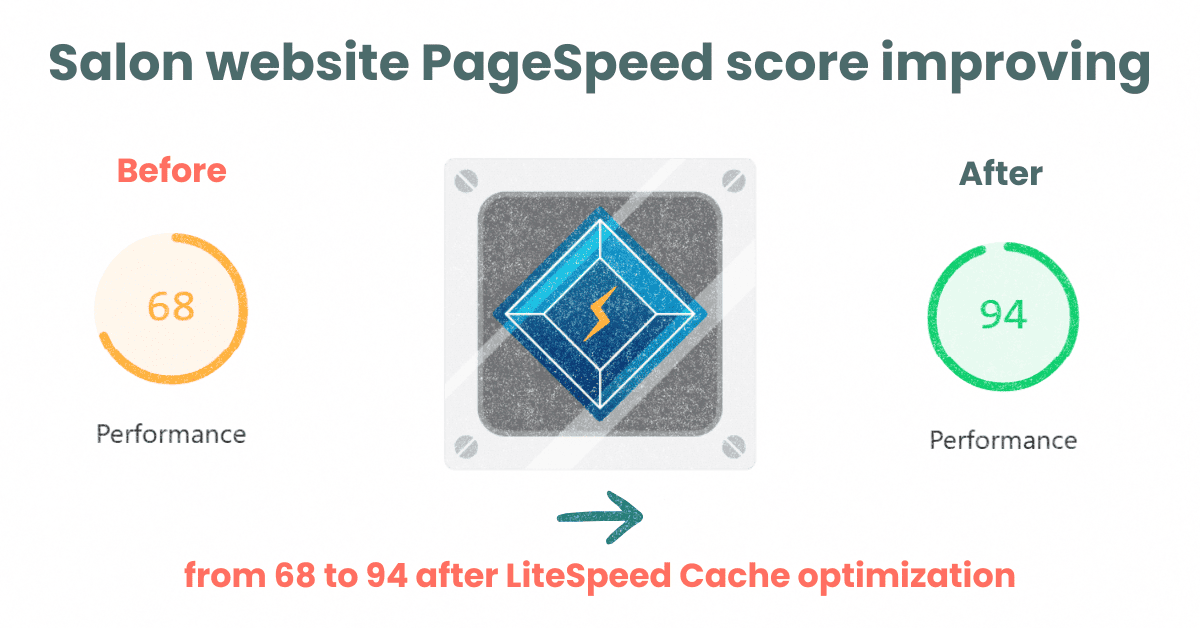
Her mobile PageSpeed score was 66. On a 4G connection, her homepage took over 6 seconds to become usable. And here’s the part that made her wince: most of her traffic — like most salon websites — was coming from someone’s phone, standing outside, deciding in the next ten seconds whether to book with her or scroll to the next name on Google.
She wasn’t losing clients because of her design. She was losing them before the page even finished loading.
Disclosure: This post recommends tools and services based on personal use and experience. If I join an affiliate program for any of these in the future, I’ll clearly mark those links as affiliate links.
The Real Cost of a Slow Salon Website
Salon and spa bookings are impulse-driven in a way most other businesses aren’t. Someone sees your Instagram post, gets a recommendation from a friend, or Googles “massage near me” while sitting in traffic. They’re not going to wait around.
Google’s own research has shown that as page load time goes from 1 to 3 seconds, the probability of a visitor bouncing increases sharply — and it keeps climbing the longer the load time stretches. For a salon, “bouncing” doesn’t just mean a lost pageview. It means a lost appointment, and often a lost client relationship that could have been worth hundreds of dollars a year.
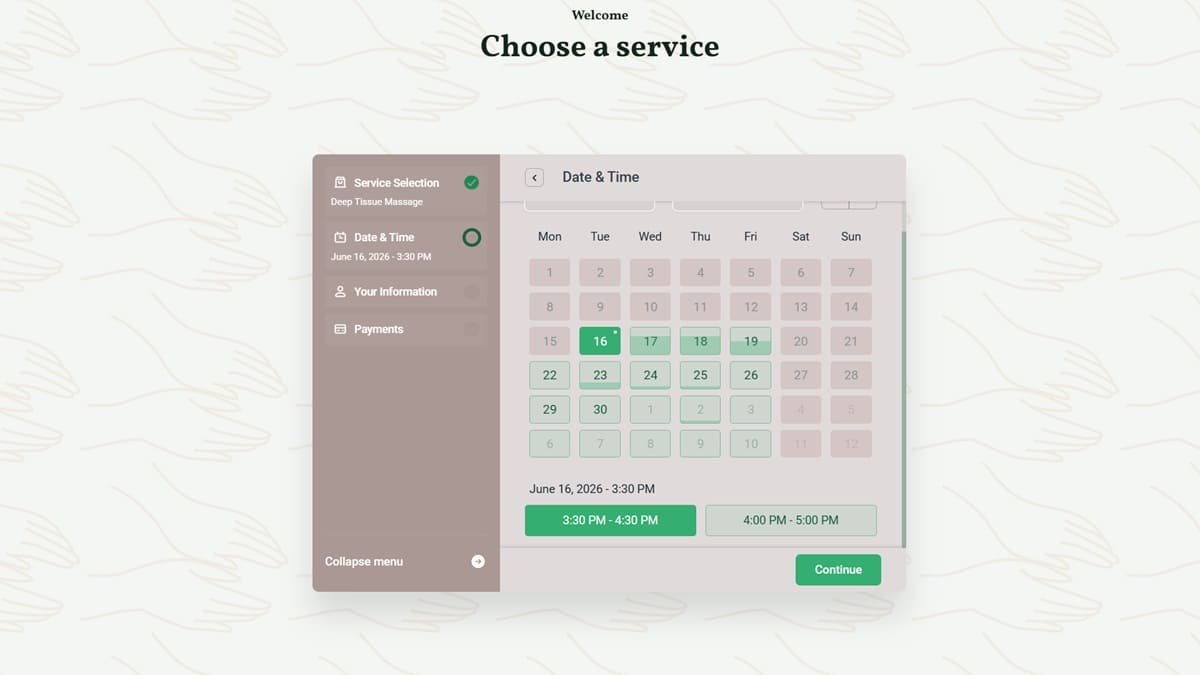
Think about your own booking widget. If it takes five or six seconds just to load the calendar, how many people actually wait? Most just leave and call — or book with the salon that showed up right below you.
Mobile matters even more here. Salon and spa searches are overwhelmingly mobile: someone checking hours before a date night, someone booking a last-minute blowout before a wedding. If your site drags on a phone, you’re not just losing a sale. You’re quietly training Google that your site gives visitors a bad experience — which hurts your local rankings too.
The Case Study: A Boutique Salon's Before-and-After
Back to that client — a boutique hair and beauty salon based in the UK, the kind of business that lives and dies by repeat local clients and word-of-mouth referrals.
Before we touched her site, her mobile PageSpeed score sat at 66. Booking page load times were sluggish enough that she’d occasionally get messages from clients saying they “gave up and just called instead.”
Here’s what we did — no redesign, no new theme, no rebuilt booking system:
- Installed and properly configured LiteSpeed Cache on her LiteSpeed-powered hosting
- Enabled page caching, browser caching, and object caching
- Compressed and lazy-loaded her image gallery (the biggest offender)
- Minified CSS/JS and removed unused Elementor widget bloat
- Optimized her database and cleaned up years of revision clutter
After optimization, her mobile PageSpeed score climbed to 90+. That’s not a marginal bump — that’s the difference between a site Google treats as “needs improvement” and one it treats as genuinely fast.
The bookings didn’t happen overnight, but within weeks, she noticed something simple: fewer people said “I tried to book but gave up.” Her booking form was actually usable on the go, not just on desktop.
I want to be upfront about something most freelancers won’t tell you: not every salon will see the exact same percentage improvement, because every site’s starting point is different. What I can tell you honestly is what typically improves once a site moves from a bloated, uncached setup to a properly configured LiteSpeed environment — faster time-to-interactive, fewer abandoned booking attempts, and better mobile usability scores that Google visibly rewards in local search.
Why LiteSpeed Specifically Makes This Difference
Not all caching is equal, and this is where a lot of salon owners get misled by generic “speed plugins.”
LiteSpeed Cache works at the server level, not just the plugin level. Most caching plugins (like a basic WP Super Cache setup) only cache what WordPress generates. LiteSpeed Cache, when paired with LiteSpeed-powered hosting, caches at the web server itself — meaning pages are served before WordPress even has to fully wake up. That’s a fundamentally faster starting point.
It also handles image optimization, CSS/JS minification, database cleanup, and even CDN integration in one plugin — instead of stacking four or five plugins that fight each other and slow your site down further (yes, that irony happens constantly).
For a booking-driven business, the part that matters most is Time to Interactive — how fast a visitor can actually tap “Book Now” and have it respond. LiteSpeed’s edge caching and QUIC.cloud CDN integration shrink that gap dramatically, especially for mobile visitors on inconsistent connections.
7 Speed Checks You Can Do on Your Own Salon Site Right Now
You don’t need to be technical to spot the warning signs. Here’s what to check today:
- Run your homepage through PageSpeed Insights. Anything under 50 on mobile is actively costing you bookings.
- Check your booking page load time specifically — not just your homepage. This is the page that matters most.
- Look at your image sizes. If your “About Us” photo is a 4MB file displayed at 400px wide, that’s pure waste.
- Count your active plugins. More than 15-20 plugins on a salon site is a common red flag for bloat.
- Test on an actual phone, on mobile data — not WiFi. Your real clients aren’t sitting on your office WiFi.
- Ask your host if they run LiteSpeed. Not all hosting is created equal, and this one detail changes everything downstream.
- Check your Core Web Vitals in Google Search Console. If it flags “poor” on mobile, that’s Google directly telling you it’s affecting your visibility.
If two or more of these raise a flag, your site is likely losing you bookings you’ll never even know you missed — because the visitor never told you they left. They just booked somewhere else. This is exactly how slow hosting salon bookings problems go unnoticed for months: quietly, invisibly, one abandoned booking at a time.
Speed Isn't a Technical Detail — It's a Booking Strategy
Salon owners spend real money on beautiful photography, polished branding, and social media content to get people to their website. All of that effort gets wasted in the first three seconds if the site itself can’t keep up.
A fast, LiteSpeed-optimized website isn’t a “nice to have” add-on. For an appointment-based business, it’s as much a part of your booking funnel as your calendar widget or your deposit policy.
If you’re not sure where your site currently stands, that’s the easiest place to start — before spending money on ads or content that just sends more visitors to a slow page.
Want to know your salon’s current speed score and what’s actually slowing it down? I offer a free, no-obligation website speed audit for spa and salon owners — no generic report, just a real breakdown of what’s costing you bookings and what it would take to fix it.
Get Your Free Salon Website Speed Audit
Frequently Asked Questions — slow hosting salon bookings
Q1: How much does slow hosting actually affect salon bookings?
A: Slow-loading pages significantly increase the chance a visitor leaves before booking, especially on mobile — where most salon and spa searches happen. Even a few extra seconds of load time can mean a client books elsewhere instead of waiting.
Q2: Is LiteSpeed Cache better than other WordPress caching plugins?
A: LiteSpeed Cache is unique because it works directly with LiteSpeed web servers, caching pages at the server level rather than only within WordPress. This typically results in faster load times than standard plugin-only caching solutions.
Q3: How do I know if my salon website is too slow?
A: Run your homepage and booking page through Google PageSpeed Insights. A mobile score under 50, or a “poor” rating in Core Web Vitals inside Google Search Console, are both clear signs your site needs optimization.