

If you’re running a Hostinger salon booking system — WooCommerce plus a plugin like Amelia handling your appointments — the $2.99/mo price tag is genuinely tempting. It’s cheap, it’s fast to set up, and Hostinger’s marketing makes it sound like it can run anything.
But here’s the question that actually matters: can that entry-level plan hold up when real clients are trying to book real appointments, not just when your site is sitting idle with zero visitors?
I get asked this constantly by salon owners who either just signed up for the cheapest Hostinger tier or are about to. So let’s actually break down what that plan gives you, what WooCommerce and Amelia demand from a server, and where the mismatch happens.
Disclosure: This post recommends tools and services based on personal use and experience. If I join an affiliate program for any of these in the future, I’ll clearly mark those links as affiliate links.
What $2.99/mo Hosting Actually Includes
Budget shared hosting plans — Hostinger’s included — work by putting your site on a server alongside dozens or sometimes hundreds of other websites, all sharing the same pool of CPU and RAM.
At the entry tier, you’re typically looking at:
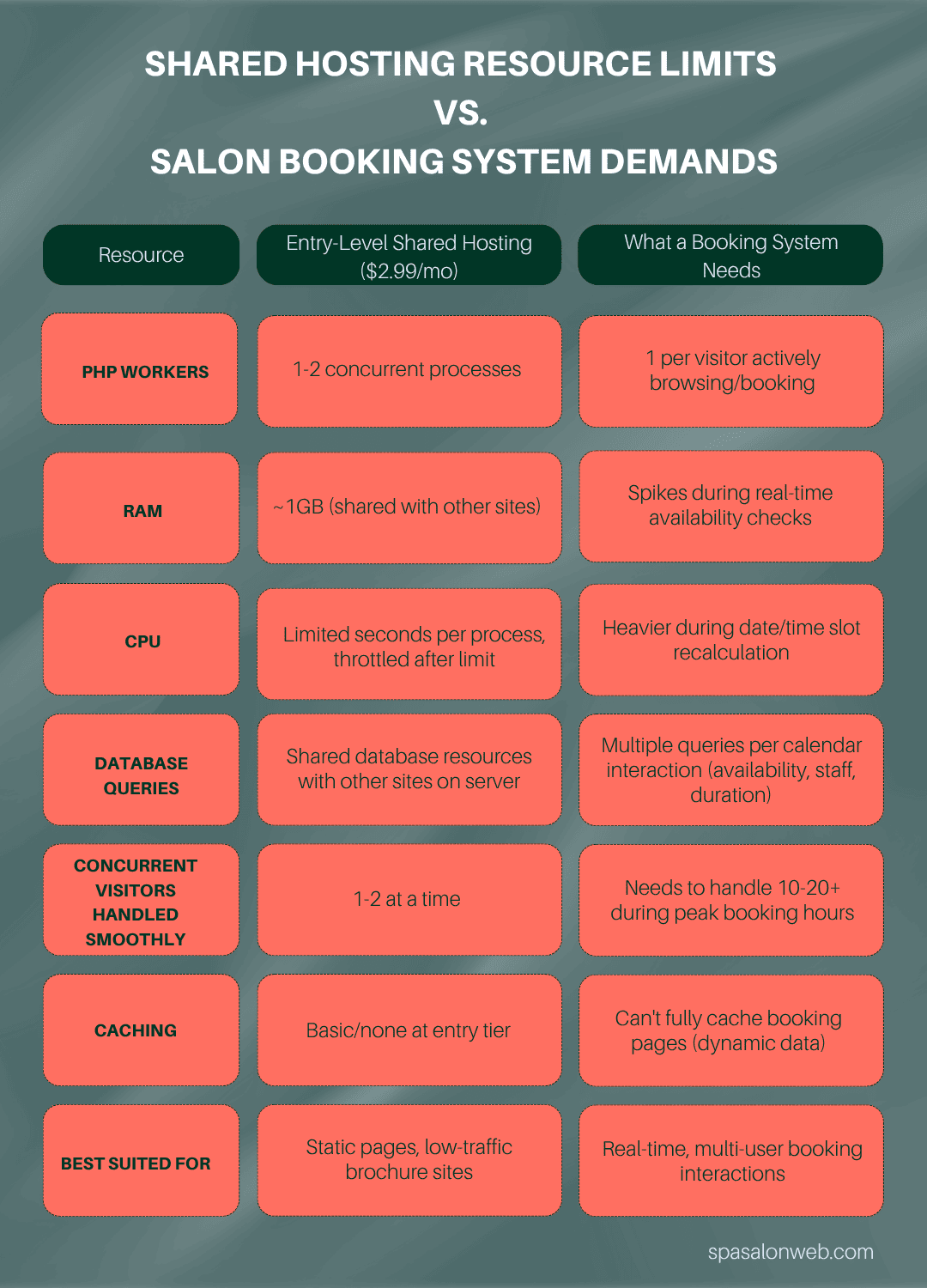
- Limited CPU seconds per process (meaning a plugin doing heavy calculations gets throttled)
- A capped amount of RAM, often around 1GB or less at the true entry level
- A single PHP worker or very few — meaning your site can only really process one or two requests at the exact same moment
- Shared database resources, so a busy neighbor on the same server can slow you down too
None of this is a problem for a simple brochure-style website. It becomes a problem the moment your site needs to do real-time calculations for multiple visitors simultaneously — which is exactly what an online booking system does.
What WooCommerce + Amelia Actually Demand From a Server
WooCommerce alone is not a lightweight plugin. It runs multiple database queries on nearly every page load — checking cart status, session data, and product/service data even if someone’s just browsing.
Stack a booking plugin like Amelia on top, and every time someone opens your booking calendar, the plugin has to:
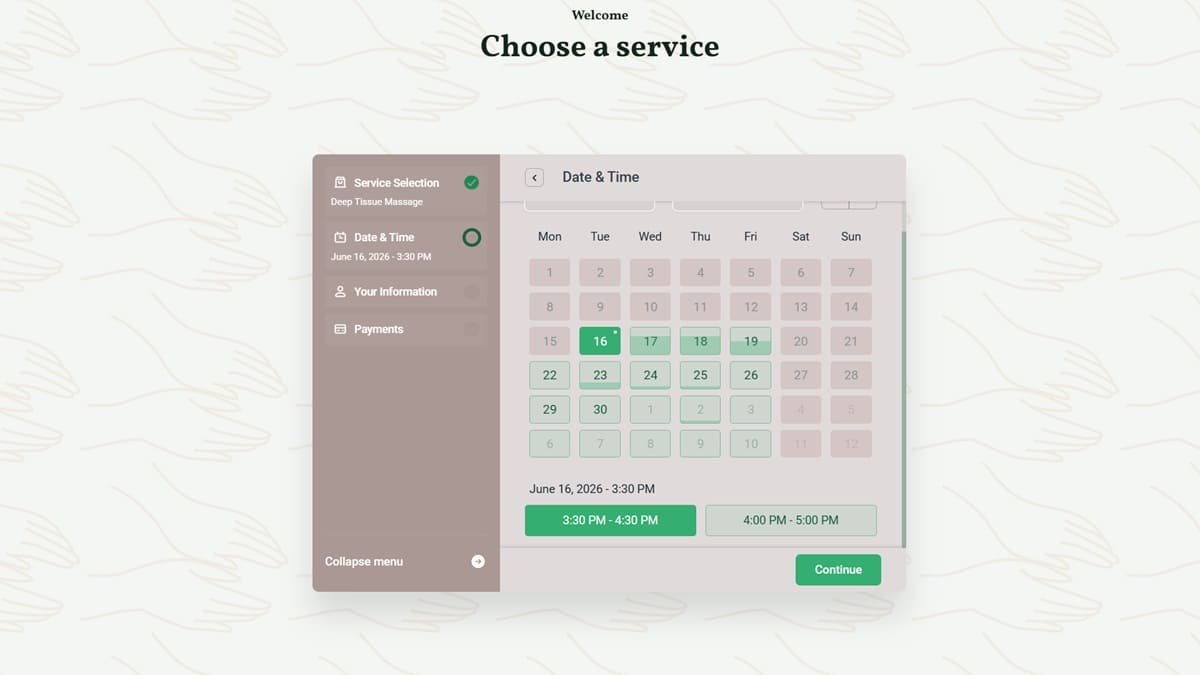
- Query the database to check which time slots are already taken
- Cross-reference staff availability, service duration, and buffer times
- Recalculate available slots in real time as someone changes the date or service
- Often make AJAX calls back to the server multiple times as the visitor clicks through the booking flow
Each one of those steps costs a PHP worker and a database query. On a plan with only one or two PHP workers available, that’s fine for one visitor. It gets shaky fast once several people are checking your calendar in the same few minutes.
The Stress-Test Scenario: A Busy Saturday
Picture this — one of the most realistic scenarios for any appointment-based business: it’s Saturday morning, your busiest booking window, and 15-20 potential clients open your site within the same hour to grab a slot before they fill up.
On a properly resourced server, this is a non-event — the site handles concurrent requests without anyone noticing a thing.
On an entry-level shared plan with limited PHP workers, this is where things start to strain. Pages may take longer to respond. The booking calendar might feel sluggish or briefly fail to load available slots. In more severe cases, visitors can hit a timeout error entirely and give up.
The frustrating part is you often won’t know this is happening unless a client tells you directly — and most won’t. They’ll just leave and book somewhere else.
Where Budget Hosting Actually Works Fine
To be fair to Hostinger — and to be honest instead of alarmist — the $2.99/mo tier isn’t automatically wrong for every salon.
It tends to hold up reasonably well for:
- A single-location salon or barbershop with modest daily traffic
- A booking system that doesn’t see more than a handful of simultaneous visitors
- A lean plugin setup — WooCommerce + Amelia and not much else stacked on top
- A business still building its online presence, where traffic volume simply isn’t high yet
If that’s your situation today, you may genuinely be fine. The issue isn’t that budget hosting is bad — it’s that it’s built for low-concurrency use, and a growing salon’s booking traffic is, by nature, concurrency-heavy during peak hours.
Where It Starts to Break Down
The cracks tend to show up in a few predictable situations:
- Multi-location salons running one WooCommerce/Amelia install serving several branches at once
- Promotional periods — holiday gift card sales, new client discounts, or social media campaigns that spike traffic all at once
- Plugin stacking — adding SEO plugins, page builders, review widgets, and marketing pixels on top of WooCommerce and Amelia, all competing for the same limited resources
- Growth itself — a salon that’s succeeding and getting busier is, ironically, the one most likely to outgrow $2.99/mo hosting
If any of these describe where your business is headed in the next 6-12 months, it’s worth planning ahead rather than reacting after a bad Saturday.
The Real Fix: What Actually Makes Sense for a Booking-Driven Salon
You don’t necessarily need the most expensive hosting plan available — you need a setup matched to how your booking system actually behaves under load. In practice, that usually means:
- More PHP workers — even a mid-tier plan upgrade often multiplies the number of simultaneous requests your site can handle
- LiteSpeed Cache configured properly — caching non-booking pages (like your homepage and service pages) frees up server resources specifically for the booking flow, which can’t be fully cached since it’s dynamic
- A leaner plugin stack — auditing what’s actually running and removing redundant plugins doing similar jobs
- Database optimization — cleaning up WooCommerce’s notoriously bloated database tables, which accumulate clutter over time and slow every query down
None of this requires jumping to expensive managed WordPress hosting. It usually means either a modest upgrade within Hostinger’s own tiers, or a properly configured setup on hosting built with WooCommerce specifically in mind.
A Simple Decision Framework
Stick with budget hosting if:
- You’re a single location with light-to-moderate daily bookings
- You rarely see more than a few people booking at the exact same time
- Your plugin stack is lean and purpose-built
Upgrade if:
- You’re multi-location or planning to expand
- You run regular promotions that spike traffic
- You’ve noticed the booking calendar feeling slow, especially during busy hours
- You’ve added several plugins beyond just WooCommerce and Amelia
If you’re not sure which category you fall into, the honest answer is usually visible in your hosting’s resource usage panel — or in how your booking page actually performs when tested under a few simulated simultaneous visits.
Want a straight answer for your specific setup? I offer a free hosting and performance assessment for salon and spa booking systems — I’ll look at your actual plugin stack, hosting tier, and booking traffic patterns, and tell you honestly whether you need to upgrade or you’re fine as-is.
Get a Free Hosting Assessment for Your Salon Booking System
Frequently Asked Questions — Hostinger salon booking system
Q1: Can Hostinger's cheapest plan run a WooCommerce booking system?
A: It can handle a basic booking setup for a single-location salon with low simultaneous traffic. It becomes less reliable once multiple visitors try to book appointments at the same time, since entry-level plans have limited PHP workers and shared server resources.
Q2: What makes Amelia or WooCommerce booking plugins resource-heavy?
A: Every time a visitor opens the booking calendar or changes a date, the plugin runs real-time database queries to check availability, staff schedules, and service durations. This happens repeatedly per visitor, unlike a static page that loads once.
Q3: How do I know if my salon website needs a hosting upgrade?
A: Signs include a booking calendar that loads slowly, timeout errors during busy periods, or a noticeable slowdown during promotions and holidays. Checking your hosting’s resource usage panel or running a performance assessment can confirm it.